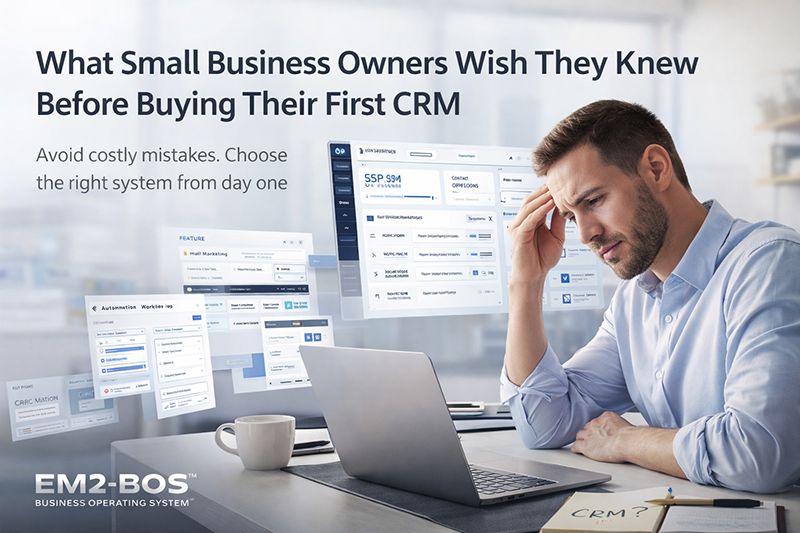
What Small Business Owners Wish They Knew Before Buying Their First CRM
Summary
- Small businesses typically only use about 20% of their CRM’s capabilities while paying for 100% of the features
- Hidden costs beyond the advertised monthly fee include implementation, data migration, and ongoing support
- Most CRM implementations take 2-3 times longer than vendors initially suggest
- Employee adoption is the #1 factor determining CRM success, yet most businesses fail to create proper buy-in
- EM2-BOS offers a Business Operating System approach that focuses on implementation and results rather than just providing tools
You’ve reached a breaking point. Customer details are scattered across spreadsheets, email chains disappear into the abyss, and your team keeps dropping follow-ups. A CRM seems like the obvious next step. But here’s the bitter truth—most small businesses rush into CRM purchases they later regret.
From my experience in overseeing numerous small business CRM implementations (and dealing with the fallout when things don’t pan out), I can confidently say that the attractive sales pages don’t tell you everything you need to know. Are you considering investing in your first substantial customer relationship management system? At EM2-BOS, we help small businesses implement systems that actually work, instead of just adding another isolated tool to your tech stack.
Choosing the right CRM can revolutionize your business. But the wrong one can empty your wallet, destroy team spirit, and leave you stuck with a costly digital doorstop. Let’s discuss what seasoned business owners wish they’d known before they inked that deal.
What Small Business Owners Wish They Knew Before Buying Their First CRM
If you ask a group of small business owners about their initial experience with CRM, you’ll hear a symphony of sighs, moans, and lessons learned the hard way. “We spent six months getting it up and running, and half of my team still refuses to use it.” “We’re paying for features we’ve never even used.” “I didn’t budget for all the additional costs, and now we’re locked into a contract.”
This isn’t just a one-off. It’s a common occurrence. The CRM industry has a little-known fact that they don’t like to talk about: while they promise to solve all your issues, they neglect to mention the new ones you’ll acquire. Knowing about these problems from the start completely alters how you go about making your buying decision. For example, many businesses are unaware of the hidden cost of CRM integrations that can significantly impact their operations.
Unexpected Expenses That Surprise Small Business Owners
Think that monthly per-user fee is all you’ll be paying? Think again. The true cost of owning a CRM often catches business owners off guard who thought they had budgeted accurately. Let’s take a closer look at where your money is really going.
The Real Cost of Implementation
While the advertised price for your CRM may be $25 per user per month, what they don’t tell you is that you’re probably going to need to shell out an additional $5,000-$15,000 for effective implementation. Many providers will offer “free implementation”, but this typically only includes basic setup and not the customization you’ll need for your specific business. If you don’t properly implement your CRM, you’re basically just buying a pricey, empty filing cabinet. To avoid this, it’s crucial to understand the hidden costs of CRM integrations that can impact your budget significantly.
Unexpected User License Costs
Most CRM systems charge per user, but the term “user” can mean different things on different platforms. Some systems consider anyone who needs even view-only access to be a user. Others charge more for admin users. And when you need to give temporary access to contractors or seasonal staff? That’s when the pricing model can really hurt.
- Simple users might only set you back $25-50/month, but administrative users can be 2-3x as expensive
- Some CRM platforms make you buy licenses in bulk (10-user minimums)
- Many CRM vendors make you sign annual contracts, which might leave you stuck with seats you don’t always need
- Hidden user types like “portal users” or “integration users” often catch business owners off guard
Continuous Support and Maintenance Fees
CRM vendors love to separate “software” from “support.” Basic support might be included, but if you want help that actually makes a difference, you’ll have to pay for it. Technical assistance, training sessions, and configuration changes can trigger hourly billing or require premium support tiers that add 15-30% to your base subscription.
“I thought we were paying $500/month for our CRM. But when we factored in the necessary support, document storage, and essential integrations, we were closer to $1,200/month—more than double what we budgeted.” — Sarah K., Marketing Agency Owner
Costs of Data Migration
Transferring your existing customer information into a new system is rarely as simple as uploading a spreadsheet. Fields don’t match. Formats conflict. Duplicate records emerge. A clean data migration typically requires either specialized expertise or dedicated services—both of which can add thousands to your implementation costs. Skimping here creates headaches that can last years.
Unused Features That You’re Paying For
Did you know that the typical small business only uses less than 20% of the features of their CRM? But they’re paying for 100% of the features. This is not only wasteful, but it can also be detrimental as it creates unnecessary complexity that can lower adoption and effectiveness.
Why Most Small Businesses Only Use 20% of CRM Capabilities
The reason why most small businesses only use a fraction of their CRM’s capabilities is because CRM vendors are more focused on competing with each other than they are on making their products user-friendly. They keep adding new features to their products to outdo their competitors, even if small businesses don’t really need those features. This results in CRMs that have too many options that small businesses don’t use, which makes the options that they do need harder to find and use. For more insights on choosing the right CRM, you can explore this small business CRM guide.
When it comes to the needs of small businesses, it’s often about managing contacts, tracking the pipeline, and having some basic automation. Instead, they often end up with a dashboard that’s just too much, complete with social media monitoring, territory management, advanced forecasting, and complex automation builders that are really designed for enterprise teams that have dedicated CRM administrators.
Understanding Your Real Requirements vs. Getting Swayed by Sales Presentations
Before you get carried away by attractive demos, take a moment to jot down your actual work processes. What are the exact issues you want to address? If you’re always forgetting about follow-ups, you need task management and reminders, not necessarily the high-tech AI-powered insights that the salesperson keeps emphasizing. If manually sending the same emails is taking up too much of your time, search for basic automation, not necessarily the professional-level campaign builder.
Make a list with two columns: “Essential” and “Desirable.” Be strict about what goes in the first column. Then, when comparing CRM options, focus more on how well they meet your essentials, rather than how many features they have in total.
The Hidden Time Commitment
It’s not just money that CRMs demand. The time commitment needed for successful implementation often comes as a surprise to small business owners. When you’re already busy managing your business, the time needed for proper CRM setup can feel daunting.
Practical Deployment Schedules
Remember when the salesperson guaranteed a swift 14-day deployment? In reality, the majority of small businesses will need around 2-3 months to get their system up and running. Establishing your CRM involves identifying processes that may not yet be clearly outlined, tailoring the system to accommodate those processes, and making sure all necessary data is correctly transferred and arranged.
Despite having a committed team to implement your CRM, there are many decisions that you will have to make regarding how your business runs. How will you categorize leads? What are the different stages in your sales pipeline? At what point is a prospect considered qualified? These are all important questions that you need to think about thoroughly and cannot be rushed. For more insights, consider the hidden cost of CRM integrations that can impact your decision-making process.
Productivity Dips During Training
Training your team is just the start. Your team will need time to get used to new workflows, which will naturally cause a temporary drop in productivity. According to those who specialise in implementation, you should anticipate at least 2-4 hours of training per user, plus an extra 10-15 hours of reduced productivity while they get used to the changes. For a team of 5, that’s almost 100 hours of productivity impact.
- Initial training on the system: 2-4 hours per user
- Period to adapt to the workflow: 10-15 hours per user
- Continual reinforcement training: 1-2 hours per user per month for the first three months
- Meetings to refine the process: 2-3 hours per week for the first month
Requirements for Ongoing Data Management
The quality of a CRM is only as good as the data it contains, and it takes consistent effort to maintain that data. Someone has to take on the responsibility of keeping the information clean, making sure users are following protocols, and modifying the system as the needs of the business change. For many small businesses, this turns into a part-time job that wasn’t factored in when calculating ROI.
5 Integration Pitfalls and How to Dodge Them
Your CRM isn’t an island—it needs to link up with the other tools that drive your business. This is where a lot of small business installations go wrong, creating annoying data silos instead of the unified perspective you were promised.
1. Problems with Email Platform Compatibility
Email integration is the most important link for many businesses, but it’s surprisingly troublesome. Many CRMs promise “flawless email integration,” but the reality often includes awkward plugins, missing features, or incomplete synchronization. Outlook users encounter different problems than Gmail users, and these details seldom appear in sales materials.
Small business owners often run into these issues with their CRM systems:
- Emails you send are captured but emails you receive are not
- Attachments are limited, so you can’t store important documents
- Emails sent through the CRM system are poorly formatted and look unprofessional
- Plugins slow down your email client
Many small business owners complain, “I’m constantly switching between my email and the CRM because the integration doesn’t work like they promised.” Before purchasing a CRM system, send test emails through the integrated system and make sure they look professional and capture all the necessary data. Consider the hidden costs of CRM integrations that might affect your decision.
Make sure to inquire about the reply tracking feature. A lot of systems can send emails but have a hard time accurately threading and tracking responses. This is especially true if clients change the subject line or don’t use the reply function. For more insights on CRM challenges, read about the common CRM failures and how to overcome them.
Ask for a trial that is specifically designed for your email platform. Something that works seamlessly with Gmail may cause issues with Outlook, or the other way around. Don’t just take their word for it when they say it’s compatible—test it with the email setup you use every day.
2. Issues with E-Commerce Integration
For businesses that rely on online sales, integrating your e-commerce platform with your CRM is vital for gaining insight into the customer journey. However, these integrations often fall short of expectations. Order data may sync, but it may not include crucial information about promotions or abandoned carts. Customer profiles may not update consistently, leading to confusion about purchase history. For more insights, you can explore what others wish they knew before their first CRM.
Another challenge is the timing lag—many integrations only sync periodically rather than in real-time, which prevents your team from immediately responding to purchase events. It’s important to always clarify exactly what data will transfer, in what format, and how frequently before committing to a solution.
3. Incompatibility with Accounting Software
If your CRM doesn’t communicate effectively with your accounting software, you’ll find yourself having to manage customer data in two different places, which can lead to inconsistencies. Some of the issues you may encounter include invoices not reflecting the most recent contract terms, payments not updating the customer’s status, and contact details becoming out of date. These issues don’t just cause administrative issues, they can also harm your relationship with your customers if financial communications contain old or incorrect information.
4. Disconnected Marketing Tools
Marketing tools are great for collecting data on potential customer engagement. However, this data is useless if it doesn’t get transferred to your CRM. Many businesses find that their marketing automation platform tracks things like email opens, website visits, and campaign responses, but this data doesn’t get added to the contact records in the CRM where the sales team works. This creates a disjointed view of customer interactions and prevents the smooth lead nurturing process that vendors promise.
5. The Struggle with Custom Application Integration
There are many small businesses that use industry-specific software or custom-built tools that standard CRMs weren’t built to handle. Even though most platforms tout open APIs, the truth is that custom integrations need technical expertise and continuous maintenance. Each software update could potentially break these connections, which results in a never-ending cycle of technological issues. Before deciding on a CRM, make sure to map out all your necessary business applications and confirm integration pathways—don’t just assume they’ll connect because the salesperson seemed sure. For more insights, check out this guide on small business CRM.
Staff Acceptance: The Deciding Element
You can buy the best CRM, but if your staff doesn’t use it, you’ve thrown your money away. Staff acceptance is always the top factor in whether a CRM is successful or fails, but many business owners treat it as a secondary concern. A shocking 65% of CRM installations have problems with acceptance, according to industry studies.
Just because your team is resistant, doesn’t mean they’re being difficult. It means that the system you’re trying to implement isn’t providing enough value to justify changing their habits. People are naturally averse to extra work unless they can clearly see the benefits for themselves. Too many CRM implementations are focused on what management wants, like reporting, visibility, and forecasting, while ignoring what the users need, like efficiency, simplicity, and practical value.
The Reason Employees Are Resistant to New CRM Systems
It’s not that your team is being difficult, they are reacting to a system that often complicates their job before it simplifies it. Sales reps who previously had a simple spreadsheet to keep track of contact information are now faced with required fields, difficult to navigate systems, and time-consuming data entry. The promised benefits (better organization, improved follow up, enhanced collaboration) take time to appear, while the immediate pain is felt right away.
It’s not usually the technical side of things that’s the problem. Most CRMs these days are really easy to use. The thing that most people struggle with is changing their processes and understanding the value of the CRM. If your team think that the CRM is just there to keep an eye on what they’re doing or to make them do more work without any real benefits, then no matter how much training you give them, they’re not going to use it properly.
Getting Everyone On Board Before Buying
Getting everyone to actually use the CRM starts well before you even buy it. Get the main users from different departments involved in picking out the CRM. Let them sit in on demos and ask questions about how they would do their jobs in the CRM. When people feel like they had a say in the decision, they’re much more likely to use the CRM that is picked.
Always keep the question: “What will I gain from this?” at the forefront of your mind for each type of user. For sales representatives, it could be automated follow-up reminders that help to close more deals. For service teams, it could be a comprehensive customer history that prevents embarrassing oversights. For administrators, it could be streamlined reporting that removes the need for manual data compilation. These specific benefits, which are based on roles, should be the driving force behind your selection criteria and should be emphasized throughout implementation.
The Nightmares and Triumphs of Data Migration
One of the most daunting tasks for business owners when implementing a CRM is data migration. The tales of terror are numerous: losing thousands of contacts, important notes disappearing, duplicate records causing customer chaos, and sales histories evaporating into thin air. However, with the right preparation, these catastrophes can be avoided.
Missing Client Details
Speeding through the data transfer process without thorough mapping and verification is the most frequent error. Not all fields transition smoothly between systems, and key details are often kept in custom fields or notes that aren’t automatically included. Before transferring, make a list of all the different kinds of data you’re currently monitoring and their locations. Make a comprehensive mapping document that clearly shows where each piece of data will be located in the new system.
Don’t just jump straight into using your new CRM system. Always test it out first to make sure everything is working as it should. And don’t forget to keep a safe copy of all your original data, just in case something goes wrong. These are easy steps to take, but they can save you from losing all your data, which has happened to far too many businesses.
The Nightmare of Duplicate Records
Duplicate records aren’t just a minor inconvenience—they can seriously harm your business by scattering customer information and causing confusion. If different team members are interacting with different versions of the same contact, it can lead to an increase in miscommunication and a decrease in professional credibility. Most CRM systems do come with deduplication tools, but these tools need to be set up properly in order to work effectively.
Before you start the migration process, you should have clear rules for identifying duplicate records. Will you match them by email address, company name, phone number, or a combination of these? How will you decide which record is the primary one when merging duplicates? What will happen to the activities and notes that are attached to the secondary records? You should document these decisions in your migration plan and test them thoroughly before you implement them.
Strategies for Clear Data Transfers
Before you even begin the migration process, it’s essential to clean up your data in your existing system. This initial step will save you a lot of time and trouble down the road. Make sure you standardize the formats for phone numbers, addresses, and other structured data. Get rid of any obvious duplicates. Archive or delete records that haven’t been active for a long time. Look for and correct any data integrity issues, such as contacts that don’t have companies or deals that don’t have contacts.
Think about using a gradual transfer method that focuses on active customers and current opportunities first. This targeted approach makes sure that your most crucial relationships get the most attention during the changeover. You can transfer historical data once your main business operations are up and running smoothly in the new system.
Choosing the Correct CRM for Your Business’s Current Size

One of the costliest errors you can make when purchasing a CRM is buying a system that’s much too large for your current needs, based on your aspirations for future growth. This “buying ahead” strategy almost always fails. It creates unneeded complexity, increases costs, and results in lower adoption rates.
When Basic Spreadsheets Are More Effective
For businesses that are still in the early stages with less than 100 contacts and a simple sales process, a specialized CRM might be too much. A well-organized spreadsheet with consistent formatting often meets basic contact management needs better than a complex system. The best time to implement a CRM is when you’re experiencing specific issues that spreadsheets can’t fix—not just because you think you “should” have one because that’s what successful businesses use.
When you start losing track of follow-ups, your team members are not communicating effectively, you can’t quickly understand the status of your sales pipeline, and it’s hard to maintain consistent processes across the team, you know you’ve outgrown spreadsheets. These operational challenges are a sign that you’re ready for a properly implemented CRM.
How to Know When You Need a CRM
There isn’t a magic number of employees or a specific dollar amount of revenue that tells you when it’s time to get a CRM. Instead, you’ll know you’re ready when you’re regularly missing out on sales because you’re not following up with leads, when you’re dropping the ball on communicating with customers, or when you don’t have a good handle on your relationship history with clients. These are signs that your business has become complex enough that you would benefit from having a structured system in place.
Thinking About Scalability as Your Business Expands
Don’t buy more CRM than you need right now, but do think about what you’ll need in the future when choosing a platform. Look at vendors with both your current needs and your projected growth for the next 18-24 months in mind. Important scalability factors to consider include user limits, storage limits, automation features, and integration possibilities. Give preference to systems that let you adopt features gradually—platforms where you can begin with the basic features and turn on more advanced features as your team gets more adept.
Questions CRM Vendors Hope You Don’t Ask
CRM sales reps are trained to follow scripts that showcase the best parts of their product while glossing over the less appealing aspects. To get a true understanding of the product, you need to ask direct questions that can’t be avoided. Don’t accept vague promises or assurances. Instead, demand specific answers to these important questions.
Some of the best insights come from asking about where things have gone wrong, rather than right. You might ask: “What are the main reasons businesses like mine have trouble with your platform?” or “What percentage of businesses like mine renew their contract after the first one?” These questions can often uncover useful warning signs that you won’t find in marketing materials.
Steer Clear of Hidden Costs
“What’s the overall cost in the first year for a business my size? This includes implementation, training, support, and any necessary add-ons?” This question is all-encompassing and helps to avoid the popular sales strategy of quoting base prices but leaving out necessary parts. Make sure you get a complete breakdown instead of a simplified estimate, as the hidden costs of CRM integrations can add up quickly.
“What will cause me to incur extra charges beyond the subscription rate?” A lot of CRMs will tack on additional costs if you go over the limits for storage, API calls, or emails sent. Knowing these limits can help you avoid unexpected expenses if your usage increases.
“What integrations need premium connectors or third-party services?” It might seem like the integration with your accounting software is included, but you often have to buy an extra connector or middleware service. If you map out your integration requirements and confirm their costs ahead of time, you can avoid unpleasant surprises after you’ve made a commitment. For more insights, explore the hidden cost of CRM integrations.
Support During Setup
“What kind of help will I get during setup, and what will cost me more?” Most CRM companies have different levels of setup help, and there’s a big difference in how much hands-on help you’ll get. Make sure you know what “standard setup” means and what you’ll have to do yourself or pay extra for.
Understanding Contract Lock-ins
“What are the exact terms for cancellation, and how do I retrieve my data if I leave?” Many CRM contracts include hefty early termination fees or automatic renewal clauses that make changing systems expensive. Understand your exit options before signing, including the process and format for extracting your data should you need to switch platforms.
Understanding Data Ownership
“Who has control over the customer data that’s stored in your system, and what are your policies for keeping data?” This question covers both who legally owns the data and who can actually access it. Some companies say they have the right to collect or examine your data, while others might erase data soon after you end your subscription. Make sure your contract clearly states that you own the data and gives you a fair amount of time to get your data if you end your service.
How to Make Your CRM a Success
For your CRM to be a success, you need to start planning before you even sign a contract. First, document your current processes, pain points, and requirements. Then, make a list of what you need versus what you want. When you’re researching your options, look for ones that match your actual requirements instead of trying to get enterprise-level functionality that you won’t use. Lastly, make sure you involve key stakeholders from different departments. This will make sure you get a variety of perspectives and get buy-in early.
After you’ve chosen a supplier, create a step-by-step implementation strategy with defined goals and tasks. Make sure you have enough resources for data cleaning, migration checks, and comprehensive testing. Train users according to their individual roles, emphasizing how the CRM simplifies their work rather than just how the features function technically. And, perhaps most crucially, appoint a CRM advocate within your company who is responsible for the system’s success and acts as the main point of contact for both users and suppliers. For more insights, explore why your CRM might feel like another tool you’re paying for but not using.
Common Questions
Having assisted hundreds of small businesses in setting up their first CRM systems, these are the questions that always come up during the selection and implementation process. Knowing these common issues can help you steer clear of the mistakes that ensnare many first-time CRM purchasers.
What is the cost of a CRM for a small business?
Small businesses can expect to pay between $12 and $150 per user per month for a CRM, depending on the features it offers. Basic systems that just manage contacts start at $12-25 per user, while more complex platforms with advanced automation, reporting, and integration features can cost between $70 and $150 per user. But remember, the subscription fee is only part of the overall cost.
Depending on how complicated your needs are and how much help you need, you can expect to pay $1,000 to $15,000 for implementation services. Data migration can cost anywhere from $500 to $5,000, depending on the volume and cleanliness of your data. Training can add an additional $500 to $2,500 to the cost for most small implementations. Integration with other systems can cost anywhere from nothing to more than $5,000, depending on how complicated the integration is.
It’s important to note that a standard five-user small business setup with moderate complexity will likely cost between $7,500 and $20,000 in the first year, including all expenses. This breaks down to about $125 to $335 per user per month on a yearly basis, which is quite a bit higher than the listed subscription prices.
What is the usual duration for a CRM system implementation?
For smaller businesses, a practical CRM implementation timeline can vary from 6 weeks to 3 months from the time the contract is signed to when the system is fully operational. The process is broken down into several stages: initial setup (1-2 weeks), transferring and validating data (2-4 weeks), training users (1-2 weeks), and a stabilization period where processes are adjusted based on actual usage (2-4 weeks). If the implementation is complicated with multiple integrations or extensive customization, it can take longer than this timeframe.
Is it easy to change CRMs if I’m not satisfied with my first choice?
Changing CRMs is a much more complicated process than setting up your first system. Besides possible contract penalties, you’ll have to deal with the difficulties of moving data again (which is now more complicated than your original data), training users again (who might resist another change), and recreating integrations and customizations. On average, the cost of changing platforms is 50-75% of the expense of your initial setup.
Indeed, your first choice is crucial. Spend time carefully considering your options, run significant trials using your real data, and ensure the system meets your fundamental needs before you commit. The time and effort you put into choosing the right system will pay off later by preventing expensive system changes.
Should I hire someone to handle our CRM?
It’s unlikely that your small business will need a full-time CRM administrator. However, it’s crucial to assign someone to oversee the system. During the first 3-6 months, you should expect to devote between 5-10 hours each week to CRM management. After that, you’ll likely need to spend about 2-5 hours each week on maintenance. The person in charge of the CRM will be responsible for ensuring data quality, assisting users, creating reports, and communicating with your vendor for support or enhancement requests.
What’s the worst blunder small businesses commit with their first CRM?
The most disastrous blunder is prioritizing features over adoption. Small businesses often choose systems based on impressive capabilities demonstrated in sales presentations, rather than assessing how easily their specific team will adopt the platform. This leads to buying complex systems that technically “can do everything” but practically “do nothing” because no one uses them consistently.
Successful CRM implementation is all about focusing on user experience. Start with the bare minimum of functionality needed to deliver value, then slowly add more features as users get more comfortable. A simple CRM system that everyone uses consistently is infinitely more valuable than a complex system that no one uses.
The second most common mistake is not giving enough importance to the process change component of CRM implementation. Just having the technology won’t improve your business—it simply enables better processes. Without clearly defining how customer relationships should be managed, what information needs to be captured at each stage, and how follow-up should be handled, even the best CRM becomes an expensive digital filing cabinet. For more insights, check out this guide on small business CRM.
Are you set to bring in a Business Operating System that offers more than just the usual CRM features? Check out EM2-BOS packages to see how we provide outcomes, not just applications.
Tags:
Share:
