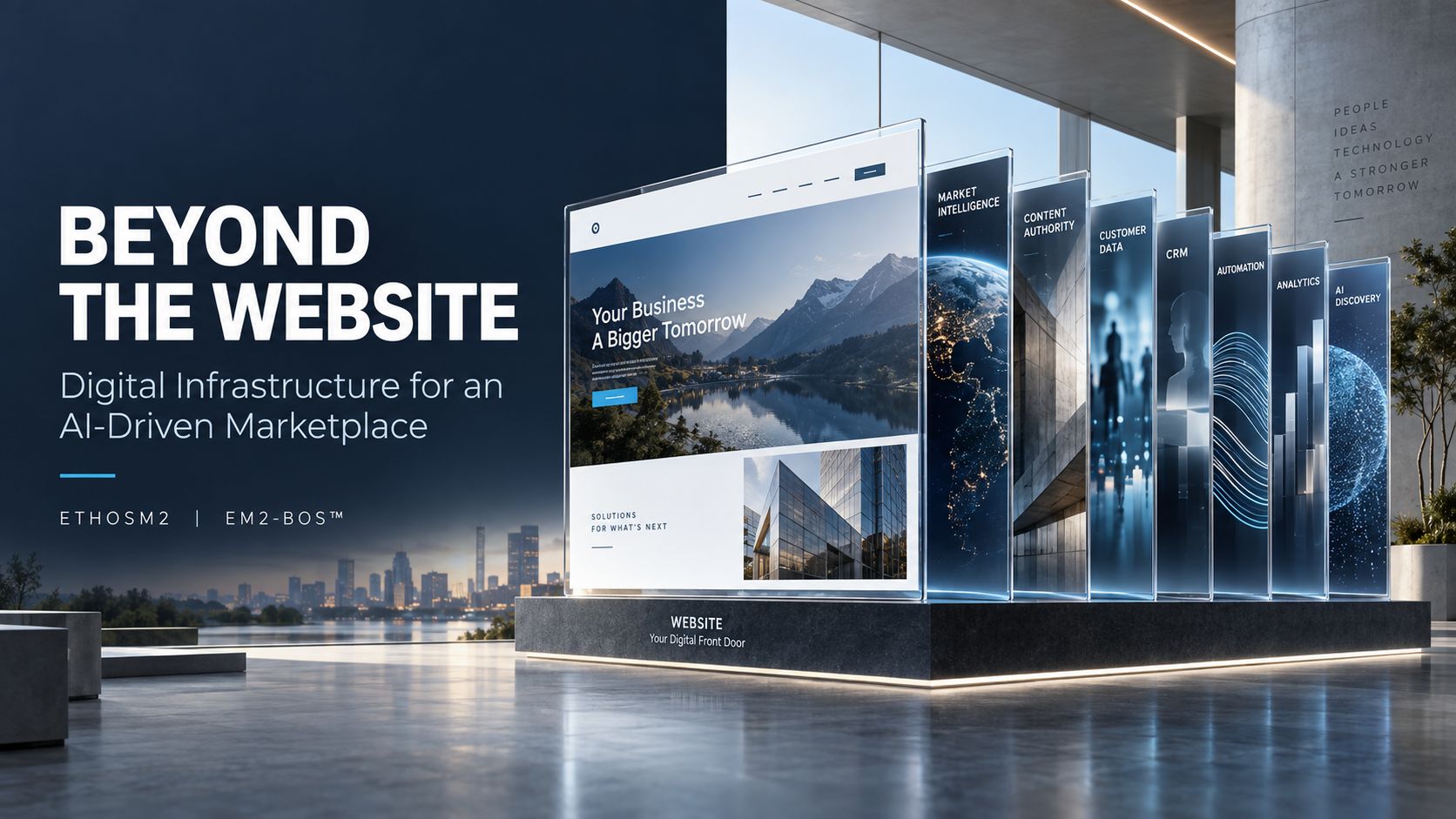
Beyond the Website Digital Infrastructure for an AI-Driven Marketplace
Key Takeaways
- Customers increasingly ask an AI assistant for a single recommended business instead of scrolling through a list of search results, and that changes what a website needs to do.
- A brochure site with a few pages and a contact form gives an AI system almost nothing to work with when it decides who to recommend.
- Winning now means connected infrastructure: research into your market, content written in the language customers actually search, local pages for every town you serve, and a lead-capture system tied to it all.
- EM2-BOS builds this full stack, research through lead capture, with a full draft delivered on a private link within three business days of your deposit.
- Later in this piece, we break down exactly what’s included, what it costs, and what you own once the build is finished.
A customer looking for a plumber, a nonprofit, or a local accountant used to get ten blue links and pick one. Now they often get one answer, spoken or typed back to them by an AI assistant, and never see a list at all.
That shift matters more for a small business than almost anything that has happened to search in the last decade. EM2-BOS builds websites specifically for this new reality, where the goal isn’t just to exist online but to give an AI system enough clear, specific information to recommend you by name.
How are customers finding local businesses now?
Search used to work like a library card catalog. You typed a few words, and the system handed you a stack of options, ranked roughly by relevance, and you did the work of comparing them.
An AI assistant, whether it’s built into a search engine, a phone, or a chat app, works differently. Instead of handing back a list, it reads through available information and gives the user one answer, or maybe two or three, framed as a recommendation rather than a menu of choices.
From a page of search results to one recommended answer
This matters because being third or fifth on a results page used to still get you found. Being third or fifth in an AI assistant’s internal reasoning often means you don’t get mentioned at all. The competition isn’t for a spot on a page anymore. It’s for the single answer.
What an AI assistant needs before it will name your business
An AI assistant can only recommend what it can understand clearly. It needs to know what you do, where you do it, who you do it for, and how that compares to other businesses nearby. A homepage that says “Welcome to Smith Plumbing, serving the community since 1998” tells a person very little and tells an AI system even less.
What works instead is specific, structured information: the exact services offered, the exact towns served, and language that matches how real customers describe their problem. That’s not a copywriting preference. It’s the raw material an AI system uses to decide who to name.
Why vague or incomplete answers get skipped over
If a business’s website is thin, generic, or missing whole categories of information, an AI assistant has nothing to pull from and moves on to a competitor whose site says more. This isn’t a penalty or a punishment. It’s a simple gap: the system can’t recommend what it can’t find or can’t clearly understand.
Why is a website on its own no longer enough?
Plenty of small businesses have a website already. Most of them still built it around a habit from fifteen years ago: five or six pages, a photo of the storefront, and a contact form sitting at the bottom, waiting.
That structure made sense when a human was doing the browsing and could fill in gaps with common sense. It doesn’t hold up when the reader is a system deciding, in seconds, whether you’re worth recommending.
The brochure site that nobody reads
A brochure site describes the business the way a paper flyer would: a little history, a services list, a phone number. It’s not wrong, exactly. It’s just incomplete for what’s being asked of it now, because it was never built to answer specific questions in specific language for specific locations. For a deeper dive into digital infrastructure, consider exploring AI-driven marketplace solutions.
The contact form with nothing behind it
A contact form that just emails you when someone fills it out is a dead end, not a system. If nobody follows up within minutes, or the lead sits unread in an inbox for two days, the fact that the form exists at all barely matters. The form is only useful if something happens the moment it’s submitted. For businesses struggling with this, understanding the CRM adoption crisis can provide insights into better lead management.
Why generic copy blends in instead of standing out
Stock phrases like “quality service you can trust” appear on thousands of small business websites, which means they tell an AI assistant, and a human reader, nothing that separates one business from another. Specific language, specific service areas, and specific details about how the work gets done are what create distinction. Generic language creates none.
| Old website habit | What it signals to an AI assistant |
|---|---|
| Five or six generic pages | Not enough detail to compare against competitors |
| One “Service Area” line with no local pages | Unclear whether the business actually covers a given town |
| Stock phrases and no specific service language | Nothing distinct to match against how customers search |
| A contact form with no follow-up system | A dead end even if the customer does find the business |
What does digital infrastructure mean for a small business?
Digital infrastructure sounds like a term built for a data center, not a landscaping company or a family law office. In practice it just means the pieces of your online presence work together instead of sitting separately: research that tells you what to say, content that says it clearly, pages built for every place you serve, and a system that catches a lead the moment it shows up. Understanding what a CRM actually does can be a key component in this infrastructure.
None of these pieces do much good alone. A beautifully written page with no local coverage misses half your market. A lead form with nothing behind it wastes every visitor who fills it out. The value comes from having all four working as one system, and that’s what EM2-BOS builds from the first day of a project.
Research into who is winning your market
Before a single page gets written, the work starts with competitor research and a keyword gap analysis, a look at what your competitors’ sites say and what search terms they cover that you don’t. This also surfaces the actual language your market uses when searching, which is often different from the industry terms a business owner uses internally.
Every page written from your own material
A build includes 16 or more pages, and every one is written from the client’s own material rather than filled with stock language. That’s what turns a page from filler into something specific enough for a person, or an AI assistant, to act on.
Local pages for the towns you serve
If you serve six towns but your website only mentions your city, you’re invisible in the other five. Local pages built for each town you actually serve close that gap, giving every service area its own clear signal instead of one vague mention buried in a footer.
Forms wired to a system that works the lead
Every build includes intake forms, and every page is checked on desktop and mobile before handoff. Paired with the CRM support options available to build clients, a form submission doesn’t just land in an inbox. It enters a system built to follow up.
How these four pieces work together, not apart
Research shapes what the content says. Content shapes what the local pages cover. Local pages shape where the forms show up. None of it works as well in isolation as it does connected, which is the entire argument for treating a website as infrastructure rather than a one-time project.
How do search engines and AI assistants decide which business to trust?
Neither a search engine nor an AI assistant can read your mind or call you to ask a clarifying question. They work from what’s published, so the more complete and specific that published information is, the more confidently a system can act on it.
This comes down to three things: clarity, location, and consistency. Get those right across every page and you’ve given any system, human or automated, exactly what it needs to make sense of your business.
Clear, specific answers on every page
A page that says “we handle emergency repairs” is vague. A page that says “we handle emergency water heater repairs in [town], typically same day” gives a specific, checkable claim. Specificity is what separates a page that gets used from one that gets skipped.
Local signals that match where you actually work
A single “areas we serve” sentence doesn’t carry much weight. A dedicated page for each town, with details specific to that location, carries a lot more.
This is also where a lot of small business sites fall short without realizing it. They serve a five-town region but their site reads like they serve one zip code, because that’s the only place mentioned by name. This is a common issue as many small businesses operate like it’s 2015, not fully utilizing the potential of their online presence.
Building out local pages for every town in your service area closes that gap directly instead of hoping a general statement covers it.
Consistency across every page you publish
If your homepage says you serve one set of towns and your services page implies a different set, that inconsistency creates confusion for anyone trying to verify what you actually do. Consistent, matching information across every page is what allows a system, or a customer, to trust the details without double-checking them elsewhere.
What does building this look like in practice?
The process starts with nine intake questions that take about five minutes, and answers save as you go, so there’s no pressure to finish in one sitting. From there, the build moves fast, avoiding the common pitfalls of technology implementation failure.
Three business days sounds tight for 16 or more pages of original content, research, and local coverage, but the structure is built for exactly that pace. Nothing waits on a phone call or a meeting to move forward.
Here’s what that timeline actually looks like from deposit to finished site. For more information on costs involved, check out how much a small business website costs.
Day one: the research
The first day is spent on competitor research, keyword gap analysis, and identifying the language the market actually searches. This becomes the foundation every page is built on.
Day three: a full draft on a private link
Within three business days of the deposit, a full draft appears on a private link. This is a committed timeline for the draft, not a promise about when the site goes live. Original imagery is included and reviewed image by image, shown to the client before anything goes public. For more insights on costs, check out how much a small business website costs.
On approval: everything transfers to you
Once the client approves the finished site, the balance clears, the web address points at the live site, and the files, domain, and logo rights transfer to the client. The web address is registered in the client’s name either way; if EM2-BOS buys it, the registrar fee gets added to the balance at cost, no markup.
Two rounds of revision built into the process
Two rounds of revision are included before approval, giving room to adjust wording, swap imagery, or rework a section that isn’t landing right. This flexibility is crucial in ensuring that the final product aligns perfectly with the client’s vision, avoiding the pitfalls of inefficient implementation processes.
This isn’t a take-it-or-leave-it draft. It’s a starting point built to be refined into something the client is ready to put their name behind.
What does it cost, and what do you own at the end?
The full build costs $1,000 as a deposit today and $2,200 when the finished site is approved, with nothing charged in between. That deposit is refundable in full until work starts, though not after work has begun.
The build: $1,000 to start, $2,200 on approval
Six starting looks are available, called Signal, Cornerstone, Beacon, Meridian, Haven, and Forge. Each is a direction, not a finished design; the client’s logo, colors, and content get applied on top of whichever one fits. You can start your build once you’ve picked a direction that feels right.
The system behind it: two support levels, first 30 days free
Two CRM support levels are available for build clients once the site goes live: Self-Serve at $355 a month, normally $555, and White Glove at $1,250 a month, normally $1,595. Both include the first 30 days free, with billing starting 30 days after launch on a 12-month agreement. Hosting is billed separately and starts when the site goes live. For a full breakdown of every line item, see this complete cost breakdown.
What belongs to you outright
Once the balance is paid and the site approved, the files, the domain, and any logo EM2-BOS designed belong to the client outright. There’s no ongoing fee to keep using what you paid for.
A few things sit outside the build on purpose: photography of your premises, people, or work; industry-specific legal page copy; trademark registration; ongoing SEO or advertising campaigns; and any third-party fees. Knowing what’s excluded up front avoids surprises later.
Optional logo design for $250
If you need a logo, that’s an additional $250. You get three original concepts, pick one, and get one round of refinement. Once it’s paid for and approved, the logo is yours outright.
Where do you start?
Start your build with the $1,000 deposit, or book a 15-minute EM2-BOS overview first if you’d rather walk through the details before committing.
Optional logo design for $250
If you need a logo, that’s an add-on, not a separate project: $250 gets you three original concepts, a chance to pick the one that fits, and one round of refinement to get it right. Once it’s paid for and approved, you own it outright, no license fee, no expiration date on using it.
What do you need on hand to get started?
Most business owners assume they need a finished brand kit before they can even start a website project. That’s not the case here. The nine intake questions are built to work with whatever you already have, whether that’s a fully developed brand or just a clear idea of what your business does.
That said, a few things speed the process along and make the first draft land closer to right on the first try, especially when considering the hidden cost of CRM integrations.
- An existing logo, or a clear sense of the colors and feel you want if you’re ordering one
- A list of the services you offer, in your own words
- The towns or areas you actually serve, not just your main city
- Any existing copy, brochures, or old website text, even if it’s outdated
- A short sense of your mission or what makes your business different from the one down the street
None of this needs to be polished. Rough notes work fine, since the writing and structuring happen on our end, not yours. If you’re curious about how technology can enhance your business operations, you might find it interesting to explore why most SMBs don’t need another tool.
The intake form itself takes about five minutes to fill out, and your answers save as you go, so there’s no pressure to finish everything in one sitting.
If you have a logo, a service list and a mission statement
If those three things exist already, the intake process moves fast, and the research team has real material to work from on day one instead of guessing at your positioning.
If you have none of those yet
That’s fine too. A lot of small business owners start a website project precisely because they’ve never had to put any of this into words before. The intake questions are designed to pull out what’s already in your head, not to test whether you’ve done homework in advance.
What EM2-BOS can build for you from a blank slate
Even starting from nothing more than a business name and a rough idea of your services, the build moves forward on schedule. The competitor research and keyword gap analysis on day one fill in a lot of the market context that a formal brand document would otherwise provide.
From there, every page of copy still gets written from your own answers and material, not from a generic template with your name dropped in. To understand the nuances of content creation, explore why most SMBs don’t need another tool but a comprehensive operating system to streamline their processes.
If a logo is part of the plan, that gets designed alongside the site rather than treated as a prerequisite you need to solve first.
Where do you start?
The process begins the same way regardless of how prepared you feel walking in: a $1,000 deposit, followed by the nine intake questions.
From that point, the day one research begins, and a full draft lands on a private link within three business days. Nothing else has to happen on your end in between. For a deeper understanding of this process, explore the CRM adoption crisis and how AI support intelligence can streamline technology implementation.
The remaining $2,200 isn’t due until you’ve seen the finished site and approved it, so there’s no charge sitting between the deposit and a version you’ve actually reviewed.
Lock in your build with a $1,000 deposit
The deposit is refundable in full up until work starts, so there’s no risk in locking in your spot while you finish gathering material. Once work begins, that refund window closes, which is also why the intake questions matter, since they’re what gets the research phase moving.
Here’s the full arc from deposit to ownership, laid out in order:
Deposit paid ($1,000) → Nine intake questions completed → Day one competitor research and keyword analysis → Full draft delivered on a private link within three business days → Two rounds of revision → Client approves the site → Balance paid ($2,200) → Domain, files, and logo rights transfer to the client
You can start your build whenever you’re ready to move on this, or take a bit more time to gather your service list and local coverage areas first. For insights on the costs involved, check out how much a small business website costs.
See the full cost breakdown before you commit
If you want to see every line item, including hosting, CRM support levels, and what’s excluded from the base build, the full cost breakdown lays it all out before you put down a deposit.
Frequently Asked Questions
A few questions come up often enough that they’re worth answering plainly, rather than leaving them buried in a contract or a pricing page.
These cover the parts of the process business owners tend to ask about before they commit to a deposit.
Is the $1,000 deposit refundable?
Yes, in full, as long as work hasn’t started yet. Once the research phase and intake process begin, the deposit is no longer refundable.
How many pages come with the website build?
Every build includes 16 or more pages, all written from your own material rather than filled in with stock language. That page count includes dedicated local pages for the towns and areas you actually serve, not just your main location.
The exact number depends on how many service areas and service categories your business covers.
Can I choose logo design separately from the website?
Logo design is an add-on to the website build at $250, not a standalone service offered on its own. You get three original concepts, pick the direction you like, and get one round of refinement before it’s finalized.
Once it’s approved, the logo belongs to you outright, with no ongoing fee attached to using it.
What is the difference between the CRM Self-Serve and White Glove options?
Self-Serve runs $355 a month, normally $555, and gives you the system to manage on your own. White Glove runs $1,250 a month, normally $1,595, for a higher level of ongoing support. Both include the first 30 days free, with billing starting 30 days after the site goes live on a 12-month agreement.
Who owns the website and domain once it goes live?
You do. Once the finished site is approved and the balance is paid, the domain, the site files, and any logo designed for you all transfer into your name.
The web address is registered in your name from the start, regardless of who initiates the purchase. If EM2-BOS buys it on your behalf, the registrar fee gets added to your balance at cost, with no markup attached.
There’s no ongoing licensing fee to keep using what you’ve paid for. Once it’s yours, it’s yours, which can be a significant advantage for small businesses looking to manage costs effectively. For more insights on managing expenses, check out how much a small business website costs.
Tags:
Share:
