
What Is a CRM, and What Does It Actually Do for a Small Business?
Article Summary: Defining CRM and Its Impact on Your Small Business
- A CRM is a centralized system that keeps track of all contacts, conversations, and follow-ups to ensure nothing is missed — described here in simple, non-technical terms.
- Many small businesses lose revenue not because they lack leads, but because they fail to follow up — an issue that a properly set up CRM is designed to address.
- Purchasing CRM software and having a functional CRM system are not the same thing — and many small business owners end up with the former when they really need the latter.
- There is a definite, honest point at which a spreadsheet is no longer sufficient and a CRM becomes necessary — and this article will tell you exactly where that point is.
- EM2-BOS combines CRM software with a team that sets up and operates the system for you, so you’re not just given a toolbox and left to figure it out on your own.
A CRM is a system that keeps a record of every person your business has ever interacted with, every conversation you’ve had with them, and every next step you need to take — all in one location, rather than spread across your phone, your email, and someone’s memory.
That’s the simple answer. But knowing what a CRM does on a Tuesday morning when you’re trying to run your business is a different question — and it’s the one worth answering. EthosM2 works directly with small business owners and nonprofit directors who have been sold software before and ended up with nothing but a login they stopped using. This article is written from that experience.
What does CRM stand for, and what does it mean in plain English?
CRM is an acronym for Customer Relationship Management. That’s the jargon. In layman’s terms, it refers to a centralized location where your company maintains records of individuals — prospects, customers, contributors, members, suppliers, or any other individuals that are important to your business.
Customer Relationship Management: A Definition
Many people overlook the “management” aspect of CRM. It’s not just a database for contact information. It’s a tool for managing the interactions between your business and your customers — before the sale, during the sale, and well after the sale is complete.
What a CRM Really Records and Monitors
In its simplest form, a CRM maintains a record for each contact. This record contains more than just their name and email. It contains the complete picture of that relationship:
- All communication between you and the client, including emails, texts, and calls
- How the client found you, whether through an ad, referral, website form, or walk-in
- What the client purchased or asked about
- Appointments that have been scheduled, completed, or missed
- Notes from past conversations
- What the next step is and who is in charge of it
- The client’s current stage in your sales or intake process
When you open the client’s record, you aren’t guessing. You’re looking at the entire history of your relationship with that client on one screen.
The Significance of “Relationship” in the Name
Customers prefer to purchase from businesses that remember them. A customer who receives a message from you at the perfect time, with the perfect information, feels valued. This is not a coincidence. It occurs because a system monitored their relationship status and initiated the appropriate action at the appropriate time.
The “relationship” in CRM is not about sentiment. It’s about precision.
What does a CRM actually do all day?
Here is where most descriptions become unclear. Let’s make it clear by going through a normal business day so you can see the system in action.
The Journey of a Lead in Your Business in a Single Day
It’s 8:47 in the morning. A person completes a contact form on your website. Here’s what comes next — not what you wish would happen, but what a properly set up CRM actually does on its own:
- The system automatically creates a contact record with their name, email, phone, and the form they filled out.
- The lead is tagged as a new lead and placed in the appropriate pipeline stage.
- The system sends a confirmation text right away, thanking them and letting them know what to expect.
- The system sends an internal notification to the appropriate team member so they know to follow up.
- If no one responds within a certain time frame, the system sends a follow-up email.
- The lead is added to a nurture sequence that continues to send relevant information over the next several days.
You didn’t have to do any of that. You were in a meeting. The system took care of it.
Automated Follow-Ups That Don’t Require Your Direct Intervention
Many small businesses lose leads not because the lead was unqualified, but because other tasks took precedence. Perhaps someone called on a Friday afternoon, you intended to follow up Monday, but by Tuesday they had already hired someone else. A CRM with automation doesn’t forget. It doesn’t have a busy Friday. The follow-up goes out on time, every time, without you needing to remember to send it.
Scheduling Appointments, Sending Reminders, and Confirming Appointments
With a CRM system that includes a calendar, you can do more than just make appointments. It sends the confirmation, the reminder 24 hours before, and the text on the day of the appointment, all without any staff member having to do it manually. This reduces the number of no-shows. Cancellations are received in time to reschedule. Your calendar is no longer a source of confusion.
How AI Integrates Into Your Daily Operations
Today’s systems come equipped with AI features that step in when your team is off the clock. AI voice response takes calls and records details. Website and text message chat, customized for your business, respond to inquiries at all hours. AI can also initiate outbound conversations to follow up with potential customers or reengage inactive contacts. These aren’t just theoretical capabilities — they’re functional components of the systems that small businesses are using today, with human-approval safeguards to prevent unchecked actions.
What problems does a CRM solve for a small team?
Small teams don’t fail due to lack of hard work. They fail because the hard work is dispersed across disconnected tools, informal systems, and human memory — and human memory isn’t a dependable business procedure.
The issues a CRM addresses aren’t particularly exciting. They’re the subtle, everyday malfunctions that drain your resources without making a sound.
Lost Sales Due to Missed Follow-Ups
Imagine a scenario where a potential client expresses interest in your services. You get caught up in work and a week goes by before you can respond. By then, they’ve already found someone else. This isn’t an issue with your sales technique, but rather a problem with your system. A CRM bridges the gap between when a lead comes in and when a follow-up occurs by fully automating the process.
Client Data Spread Over Texts, Emails, and Notes
If a customer rings up and asks about their previous order, their appointment, or a quote you gave them three months ago, you should be able to answer in three seconds, not three minutes of searching. A CRM keeps all interactions in a single record, which can be accessed by anyone on your team who needs it.
Lost Opportunities When a Key Team Member Is Overloaded or Absent
When your top-performing team member is out sick, on holiday, or simply overwhelmed, the clients and leads they were managing don’t go on hold. Without a system in place, these relationships can falter. With a CRM, every contact record, every next step, and every scheduled follow-up is stored in the system — not in one person’s mind. This means any team member can pick up right where another left off without any missed opportunities.
Can’t Pinpoint Your Revenue Source?
If you’re unable to identify the marketing channel that’s attracting your top clients, you’re making budget choices based on instinct. A CRM not only tracks the source of every lead, but also their journey through your process and whether or not they converted. This data, over time, will provide a clear picture of where to direct your efforts and your budget.
What can’t a CRM fix on its own?
Most software companies don’t mention this. A CRM is an incredibly useful tool, but at the end of the day, it’s just a tool. Giving someone a well-constructed system doesn’t instantly solve the issues that were present before the system was introduced.
If you have been sold a CRM before and felt like nothing changed, one of the following is almost certainly why.
Lack of a Defined Sales Process
If you have a follow-up sequence, a CRM can automate it for you. However, if you haven’t identified the steps between “getting a lead” and “securing a client,” the CRM won’t have anything to automate. It will just sit there, waiting for instructions that never arrive. The CRM doesn’t create the process, you or someone on your team has to do that.
That’s why companies that purchase CRM software and then don’t use it often give the same reason: they didn’t know what to set up. That’s not a technological issue. It’s a strategic issue that technology can’t fix on its own.
A Team That Doesn’t Really Use It
Adoption is the silent assassin of every CRM implementation. You set up the system, inform your team, and two weeks later everyone is back to texting customers from their personal phones and jotting down notes in a spiral-bound notebook. The software is up and running. No one is using it.
There are common reasons for this — the system was not configured to suit the team’s work style, training was a one-off event rather than a continuous process, or no one took responsibility for ensuring its effectiveness. A CRM that your team doesn’t use isn’t an asset to your business. It’s a recurring monthly cost.
The harsh reality of CRM implementation: A system that your team avoids is even worse than having no system at all — because it gives the false impression of orderliness while the actual work is still taking place in disorganized, unmonitored locations. Prior to purchasing any software, the more crucial question is: who will ensure that this is actually put to use?
The solution is not additional instructional videos. It is designing the system around the team’s actual workflow from the beginning, so that utilizing it is the easiest course of action — not an added task.
Lack of a Dedicated Manager
Every system needs a human touch. It should not be a group of people, but one person who ensures that automations are functioning, updates contact records when there are changes in processes, and is alert when something goes wrong. Without a dedicated manager, even a well-configured CRM will falter. Data becomes outdated. Workflows stop working. And six months down the line, nobody knows what the system is supposed to do.
How is a Business Operating System different from a standalone CRM?
A standalone CRM is great for managing contacts and tracking deals. That’s useful. But a growing small business needs more than just a contact database — it needs a connected operating layer that can handle marketing, scheduling, communication, follow-up, reporting, and client experience all in one unified system.
A CRM is like a single instrument, while a Business Operating System is like a full orchestra. The former plays a part, while the latter plays the whole thing.
A Standalone CRM Provides a Tool. A BOS Provides a Built System.
When you invest in a standalone CRM, you gain access. You receive a login, a dashboard, and a variety of features that need to be configured. However, you don’t receive a functioning system. A functioning system necessitates someone making decisions about how your unique business operates, creating workflows that reflect those decisions, and linking everything together so it operates as a cohesive unit.
Many small business owners don’t have the time, technical knowledge, or manpower to set up the software correctly. As a result, they end up using the system for little more than storing contacts, while the rest of its features sit unused.
What’s Included When the Software Comes With a Team That Builds and Runs It
When you have a team that builds and runs the system, the whole equation changes. Instead of being given a toolbox and sent on your way, you’re given a fully functioning operation.
EM2-BOS is a business operating system powered by artificial intelligence. It comprises 18 modules that cover the entire operating layer of a small business. The platform takes care of what most businesses currently handle across multiple disconnected tools:
It’s not just about the quantity of features. It’s about how those features are set up to work in harmony, specifically for your business, from the outset.
- CRM and contact management with full conversation history
- Pipeline and sales management so you always know where every lead stands
- Email and SMS marketing built into the same system as your contacts
- Calendar and appointment scheduling with automated reminders
- Website and funnel builder connected directly to your CRM
- Automation and workflows that trigger based on real contact behavior
- Reputation management, social media management, and analytics
- Documents and proposals, client portal, and team management
- AI employee suite including voice answering, chat, and outbound follow-up
The EM2-BOS Approach: Software Plus a Team That Builds and Runs It With You
The differentiator is not the platform. It is the execution layer. The EM2 team configures the system, builds the workflows, manages updates, and supports the operation — so you are not learning software on top of running a business. If you want a closer look at how the system is structured before committing to anything, a 15-minute systems overview is available to walk you through exactly how it works for your type of operation.
Do-It-Yourself vs. Self-Serve or White Glove: Two Paths to Getting Up and Running
EM2-BOS offers two service models based on how you want to operate. The Do-It-Yourself option is designed for business owners who want to learn the system and set it up themselves, with guidance provided along the way. The White Glove option is designed for business operators who want the system to be up and running without having to set it up themselves — the EM2 team takes care of configuration, setup, and ongoing management while you focus on running your business. Both options lead to the same end result: a fully functioning system, not a login that gets forgotten. You can see what each option includes at em2bos.com/packages-pricing.
When is a spreadsheet honestly enough?
Let’s be honest, not every business needs a CRM from the get-go. A spreadsheet is free, familiar, and quick to set up — and for some early-stage operations, it’s truly enough. We’re not trying to sell you on unnecessary complexity. We’re here to help you identify exactly when the spreadsheet stops being useful.
When a Spreadsheet No Longer Works
A spreadsheet is a useful tool when a single person is managing a small, predictable number of contacts and can keep track of every step of the process. However, as soon as there are more leads, more team members, more touch points, and more follow-up sequences, a spreadsheet becomes a burden rather than a benefit.
Here are some examples of the types of problems that can arise: a potential customer is lost because two employees each thought the other was going to follow up; a customer calls and no one can find the notes from their previous conversation; you want to run a promotion but you don’t have a reliable way to contact your past customers; or you want to understand which part of your business is growing and your spreadsheet isn’t able to provide that information. In these situations, the cost of not having a system is greater than the cost of creating one.
What Happens When Leads Exceed the Capacity of Manual Tracking
Spreadsheets don’t send follow-ups. They don’t remind you when a lead goes cold. They don’t alert you when a contact who inquired three months ago is back on your website. When the volume of leads grows beyond what a single person can keep track of, the spreadsheet becomes a historical record of what happened, rather than a functional system for what should happen next. This gap is where revenue slips away, quietly and without any single dramatic failure.
For businesses that are growing at a rapid pace, this is the stage where they feel the most pain. More leads equate to more opportunities, but only if the system can handle the volume. Without a system in place, growth can lead to chaos instead of momentum. A CRM does not slow down the growth to manage it, but instead, it builds the infrastructure that allows the growth to be converted into revenue.
What should you look for in your first CRM?
The biggest error small business owners often make when assessing a CRM is searching for features rather than searching for a suitable fit. A platform with an abundance of capabilities is useless if your team is unable to use it, if it is not set up correctly, or if it does not align with your business’s actual functioning. Features lists are just marketing. What is important is whether the system will work within your specific business.
Before you consider any platform, make sure you understand two things: what problem you actually want to solve, and who will be in charge of making the system work after you sign up. These two questions will guide you more than any comparison chart.
Core Features That Actually Matter for a Small Business
Not every CRM feature is worth paying attention to at the start. The capabilities that make a real operational difference for a small business tend to cluster around the same core functions. Look for a system that handles contact and conversation management in one place, automates follow-up sequences without requiring manual triggers, integrates scheduling and reminders so appointments run themselves, and gives you a pipeline view so you always know where each lead stands. Reporting matters too — not vanity metrics, but the ability to see which leads convert and where they came from.
First and foremost, make sure the basics are in order. A system that does five things excellently is more beneficial than one that does twenty things inadequately.
What to Consider Before Choosing a CRM
Don’t be fooled by a flashy demo. Ask the hard questions to make sure the system will meet your business needs. Who will handle the set-up — you or the CRM provider? What does the implementation process look like once you’ve signed the contract? What happens when there’s a glitch or something needs to be changed? Can you contact a real person for support, or do you have to submit a ticket and wait? How long will it take to get the system up and running, not just turned on? The answers to these questions will help you determine if you’re simply purchasing software or investing in a fully functional system.
Why Support During Setup is as Important as the Software
The most common issue that leads to the failure of CRM adoption in small businesses is not that the software is too complex. The issue lies in the gap between “we have given you access” and “the system is fully operational.” These are two completely different situations, and most vendors only take responsibility for the first one. Once you have your login details, the configuration, the workflow builds, the data migration, the team training, and the ongoing management are all up to you.
For a small business owner who doesn’t have a dedicated operations team or IT department, that’s where the investment falls apart. The software only ever gets partially set up because no one had the time or knowledge to set up the rest. Setup support isn’t a nice-to-have feature — it’s the difference between a tool and a system.
Why EM2-BOS Is Perfect for Small Businesses Seeking Expansion, Not Uncertainty
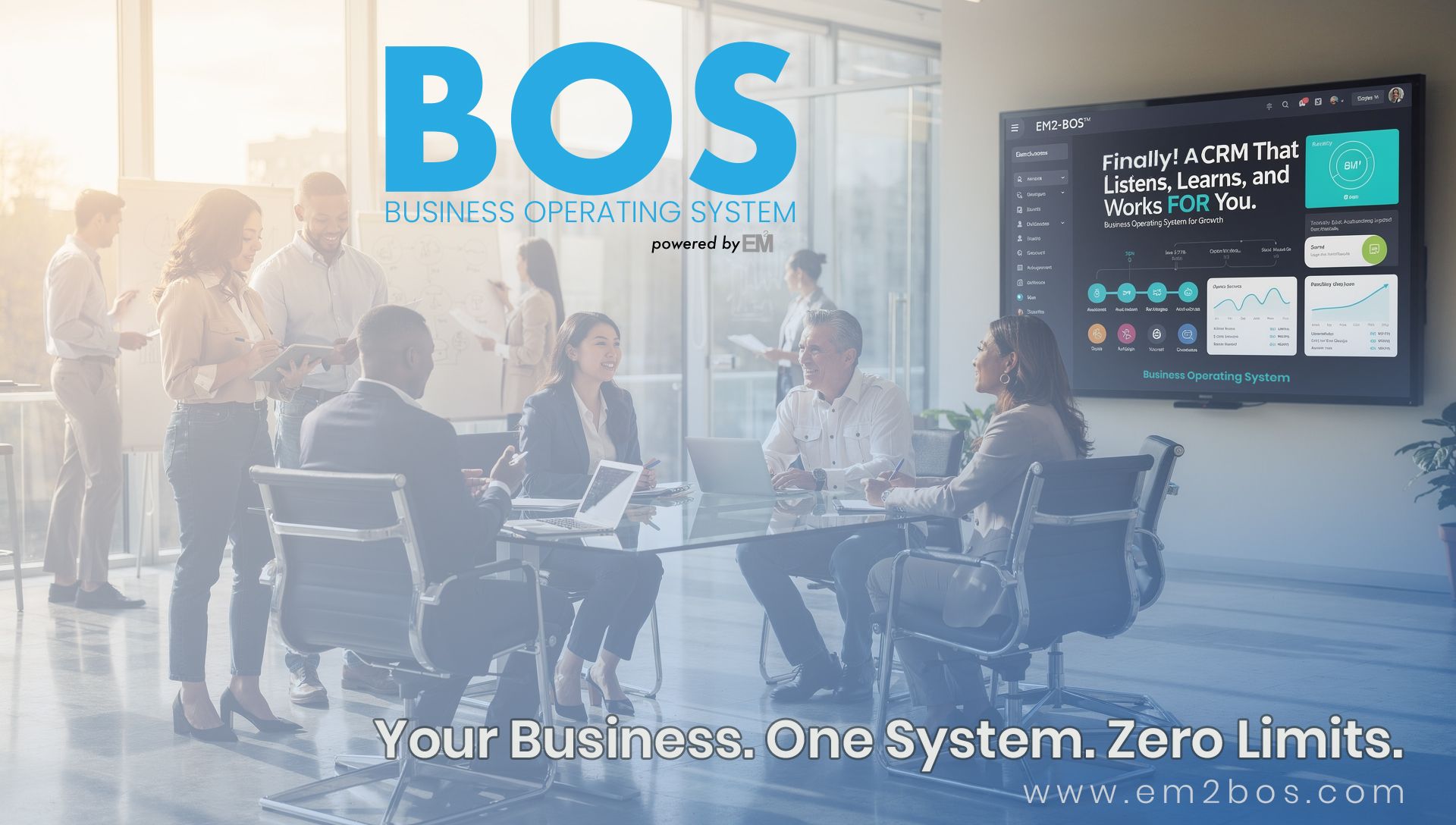
EM2-BOS isn’t a system you purchase and then have to navigate. It’s a Business Operating System designed especially for small-to-medium-sized businesses and nonprofits that require the structure of a large company without the need for a large team to oversee it. The platform encompasses 18 operational modules, including CRM and pipeline management, AI-driven follow-up, reputation management, and client communication. All of these modules are designed to function as a single system within your specific business.
The platform’s AI capabilities tackle the tasks that are often forgotten about after hours: answering calls, website and SMS chat that’s designed for your business, follow-up conversations for lead reactivation, and more. All of this operates within human-approval guardrails to ensure that nothing is sent out unchecked. It’s not about automating for the sake of automation. It’s about creating an infrastructure that runs the parts of your operation that currently rely on someone remembering to do them.
What sets it apart from other platforms in this category is its execution model. The EM2 team not only builds the system but also configures the workflows and supports the operation. You’re not just given a toolbox and left to figure out what to build. Whether you choose the Self-Serve path with structured guidance or the White Glove model where the team handles everything, the end goal is the same: a system that is actually up and running, not just installed.
Frequently Asked Questions
Here are the questions most frequently asked by small business owners who are considering a CRM for the first time — answered straightforwardly, without the jargon.
What is the learning curve for a CRM?
There is no one-size-fits-all answer to this question. The learning curve for a CRM will largely depend on how the system is structured. If the CRM is set up in a way that aligns with your workflow, with clear labels, logical stages, and automated steps, you can expect to be able to use basic functions within a few days. However, to fully understand all of the CRM’s capabilities, it will likely take several weeks of consistent use.
The biggest factor isn’t the learning curve—it’s who does the setup. When a team builds and configures the system for you, the learning curve is significantly reduced. This is because you are learning to use something that has already been customized to your business. You aren’t learning software in the abstract and trying to build something functional at the same time.
Can I use a CRM if I’m not good with technology?
Most CRM systems today are designed to be user-friendly and do not require technical training. The real challenge is not in the daily use of the platform, but in the initial setup, which requires decisions about your process, your automations, your pipeline stages, and your communication sequences. These decisions require business knowledge, not technical knowledge. However, translating these decisions into a functional system is where owners who are not tech-savvy typically need help.
Is it possible to use a free tool like a shared document as a CRM?
Yes, you can. For very early-stage operations, it can be a good starting point. A shared document can store contact information, track basic notes, and provide a small team with a common reference point. It’s better than not having anything at all, and it’s free.
However, it is unable to automate follow-ups, trigger reminders, track pipeline progress, send emails or texts, connect to your calendar, or provide any reports on how your leads are converting. As soon as your operation requires any of these features — which is usually sooner than most owners anticipate — a document ceases to function as a CRM and becomes a liability instead.
How do I choose a CRM when there are so many options?
Start with your problem, not the software. Get specific about what is actually breaking in your current operation — leads going cold, no follow-up system, team members working from different sources of truth, no visibility into your pipeline. Then evaluate systems on whether they solve those specific problems, not on feature count or pricing tiers.
- Does it handle contact management and communication in one place?
- Can it automate the follow-up sequences your team currently does manually?
- Does it integrate with the tools you already use?
- Is there a team or person who will set it up — or does that fall on you?
- What does ongoing support actually look like after you sign up?
- Is the pricing tied to contacts, users, or features — and does that scale with you?
The platform that answers those questions best for your specific situation is the right one — regardless of which one has the most reviews or the lowest entry price. A well-configured system on a simpler platform will outperform a feature-rich platform that nobody set up properly every single time.
Before you make any commitments, you can get a direct answer on whether EM2-BOS is suitable for your business by scheduling a 15-minute systems overview. This is a straightforward, no-pressure conversation to help you determine if the system is the right fit for your current business needs.
What is the cost of a CRM system for a small business?
CRM costs can vary greatly depending on what is included in the platform, how many users need to access it, and if setup and support are included. Basic standalone tools can range from a small monthly fee per user to several hundred dollars per month as your list of contacts and feature needs increase.
Most small business owners are concerned about the cost of the subscription. However, the total cost of getting the system up and running is the most important. This includes the time it takes to set up the system, any external help needed to set it up, and the ongoing management needed to keep it running. A system that is not set up properly but has a lower monthly fee is more expensive than a system that is running properly but has a higher monthly fee.
If you’re considering EM2-BOS for your business, you’ll find that our pricing is based on the service model and the scope of operations, rather than on a per-user basis. You can find full details of our packages at em2bos.com/packages-pricing, where you can compare what’s included in each service tier without having to make a sales call to get the information.
You didn’t provide any content to rewrite. Could you please provide the content you want me to rewrite?
Tags:
Share:
